iPhone
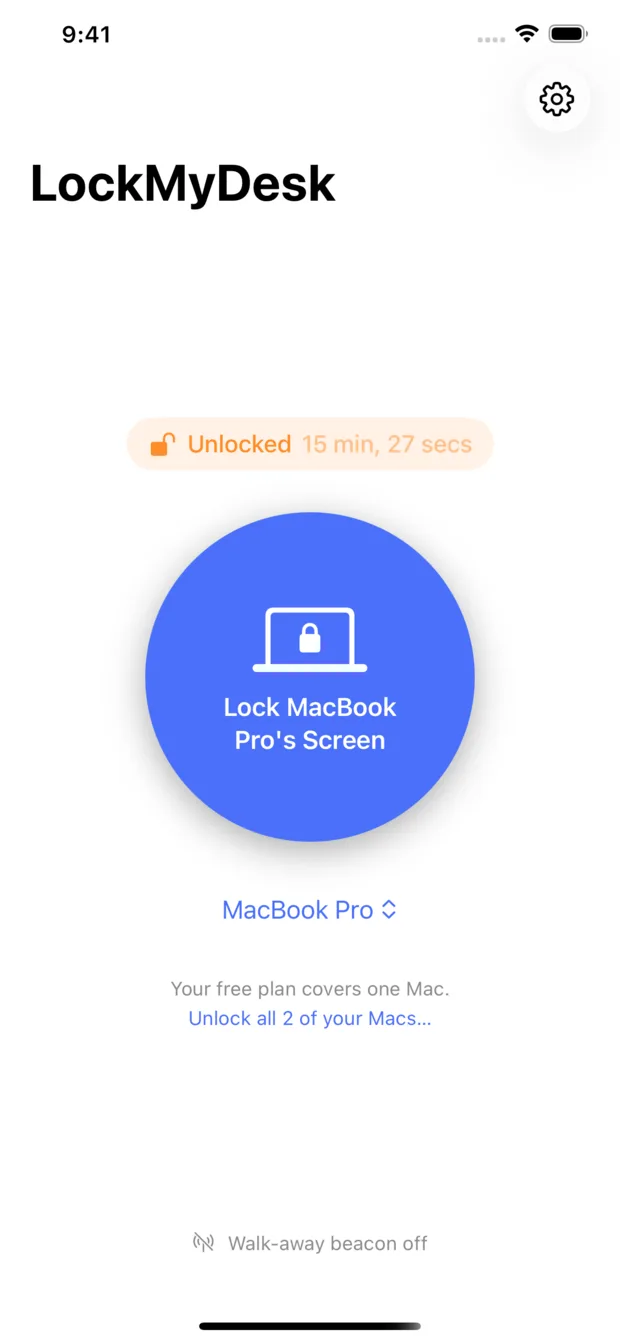
One big button, and above it how long the Mac has been unlocked.
Lock your Mac's screen from your iPhone, your Apple Watch, a widget or Siri. Or leave your desk and let it notice you've gone. You stay signed in and every app keeps running. Only the screen locks.
Free for one Mac, forever. Pro is $3.99 once. No subscription.
The same lock, four ways in. Each one shows whether the Mac is actually locked.
One big button, and above it how long the Mac has been unlocked.
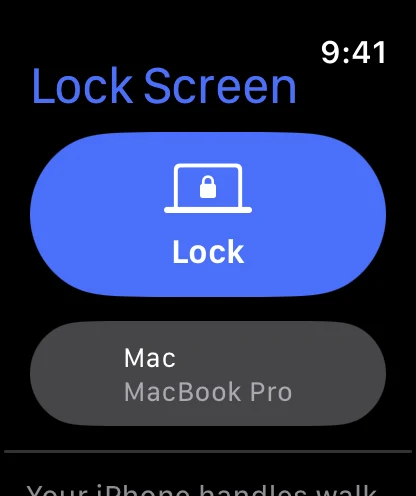
Lock from your wrist, and pick which Mac if you have more than one.
Home Screen and Lock Screen. A tap locks the Mac without opening the app.
Ask out loud, name the Mac, or drop the action into any Shortcut.
Your iPhone talks straight to the Mac, and the Mac answers back. When it says locked, it's locked.
The request goes through your own private iCloud database. A silent push wakes the Mac, which checks the signature and locks.
Your Mac watches your iPhone over Bluetooth. When the signal fades past your threshold, or drops for longer than you allow, it locks itself.
LockMyDesk does one job: it locks the screen. Here is everything around that one job.
A single big button, with the Mac's lock status right above it.
Lock from your wrist, with a picker when you own several Macs.
Locks in place. The app never has to open.
“Lock my Mac with LockMyDesk”, or ask whether it's locked.
Leave your desk with your iPhone and the Mac locks behind you.
You decide how far is too far, and how long the Mac waits.
Each Mac shows up everywhere on its own once the app runs on it.
Live on the same Wi‑Fi. Away, the last known state, labelled with its age.
Off your network, the lock travels through your own iCloud account.
Lives in one place, never both. Your choice, switchable any time.
You stay signed in and apps keep running, exactly like pressing ⌃⌘Q.
Every lock is signed with a key only your devices hold. Pairing is your iCloud sign-in.
No subscription and no trial clock. Locking one Mac by hand stays free for good.
Everything you need to lock one Mac from anywhere.
The rest of your setup, unlocked for good.
Pro is an in-app purchase sold by Apple, from the Mac or the iPhone app. Restore it any time from Settings. US price shown; the App Store sets the price in your country.
LockMyDesk has no server. The only things stored anywhere are your Mac's name and its pairing key, and they live in your private iCloud database, where only your devices can read them.
Read the privacy policy →No. LockMyDesk locks the screen the same way you would with Control-Command-Q. You stay signed in, downloads keep downloading and every app keeps running behind the lock screen.
A Mac on macOS 26.5 or later and an iPhone on iOS 18 or later, both signed in to the same iCloud account. The Apple Watch app is optional and needs watchOS 11.
They already have. Open the Mac app once and it publishes itself to your private iCloud database; the iPhone finds it there. No code to type and nothing to scan.
The free plan locks one Mac of your choice, and you can move it to another Mac whenever you like. Pro locks all of them, from every app, the widget and Siri.
No. It's $3.99 once. It covers the Mac and iPhone apps on your Apple Account and is shared with your family through Family Sharing.
watchOS doesn't let apps broadcast over Bluetooth, so a Mac can't see the Watch at all. The Watch is a remote control; walk-away locking follows your iPhone.
It's optional. With it, the app presses the system's own Lock Screen shortcut and nothing else. Without it, the app starts the screen saver instead, which locks as long as your Mac asks for a password when the screen saver begins.
A lock request is only good for a minute, so an old one can never lock your Mac hours later by surprise. Meanwhile the iPhone and Watch show the last state the Mac reported, with how long ago that was, rather than passing it off as current.
Your Mac has it handled. Free for one Mac, on the App Store for Mac, iPhone and Apple Watch.
Requires macOS 26.5, iOS 18 and, for the Watch app, watchOS 11.